Your conversation companion
Keep in touch
Find the words
Not sure what to reply?Upload a chat screenshot to make sense of the conversation. Explore reply suggestions and choose the words that feel right for you.
Use the same account on iOS and the web
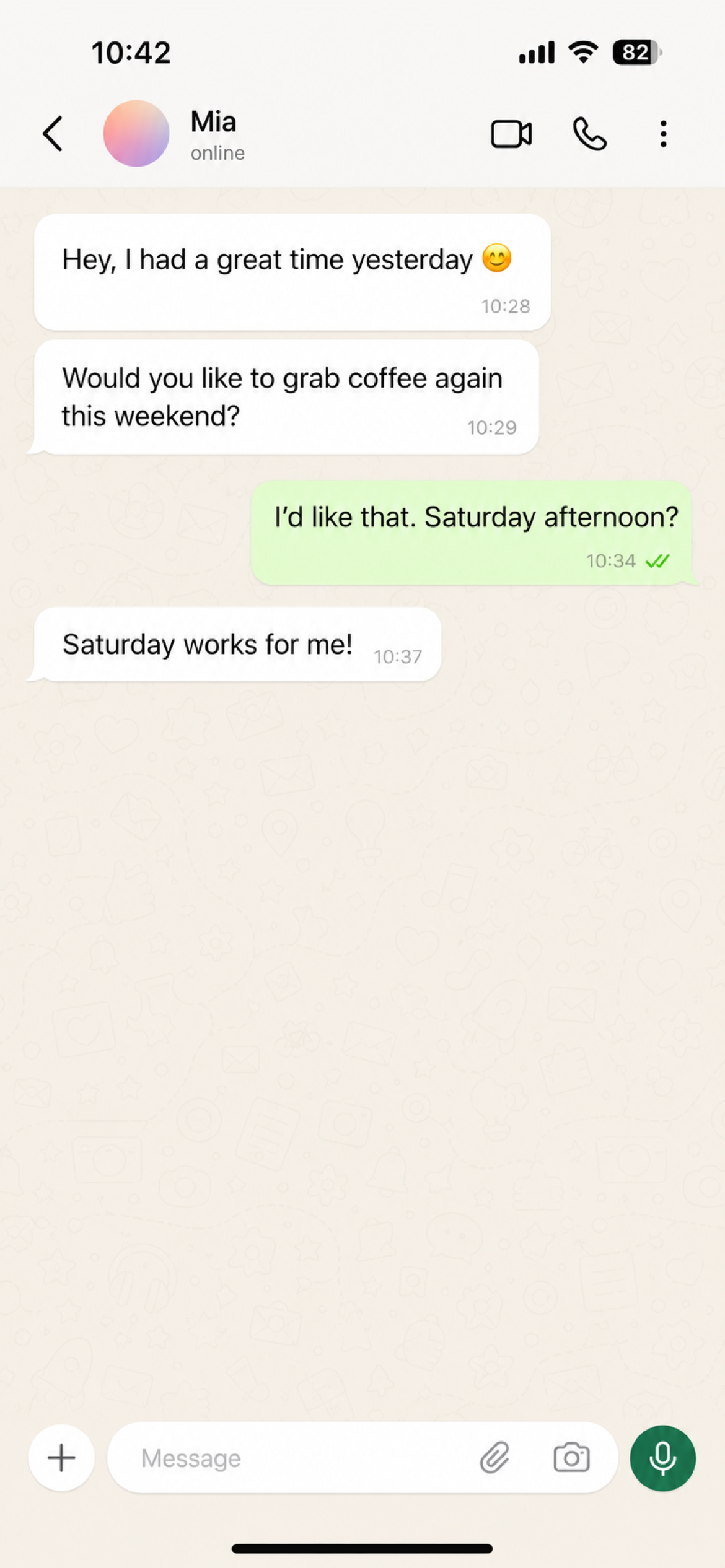
01Choose a chat screenshot
Keep the messages before and after the part you want help with. Add a little context about your goal.
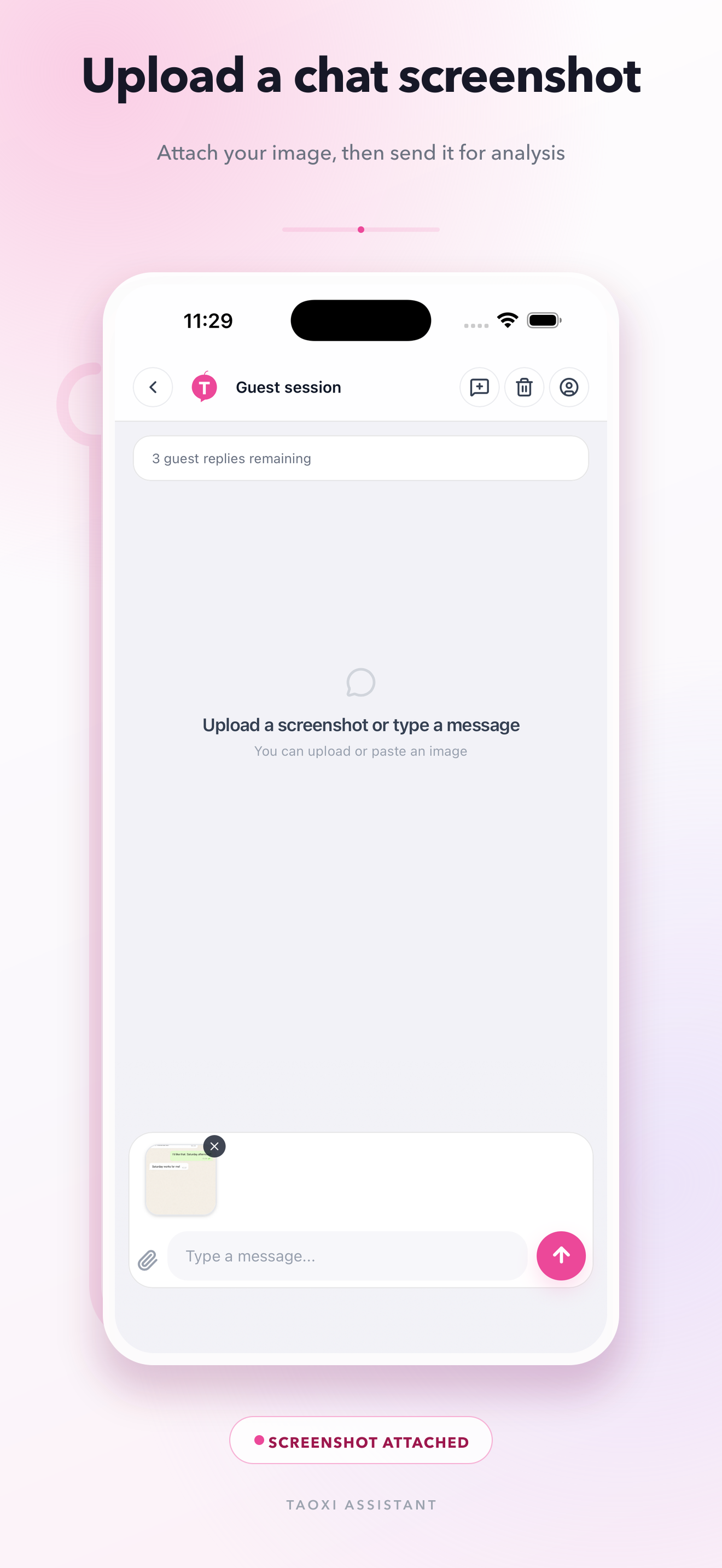
02Attach it and send
Add the screenshot in Taoxi Assistant, then send it to get context analysis and reply suggestions.
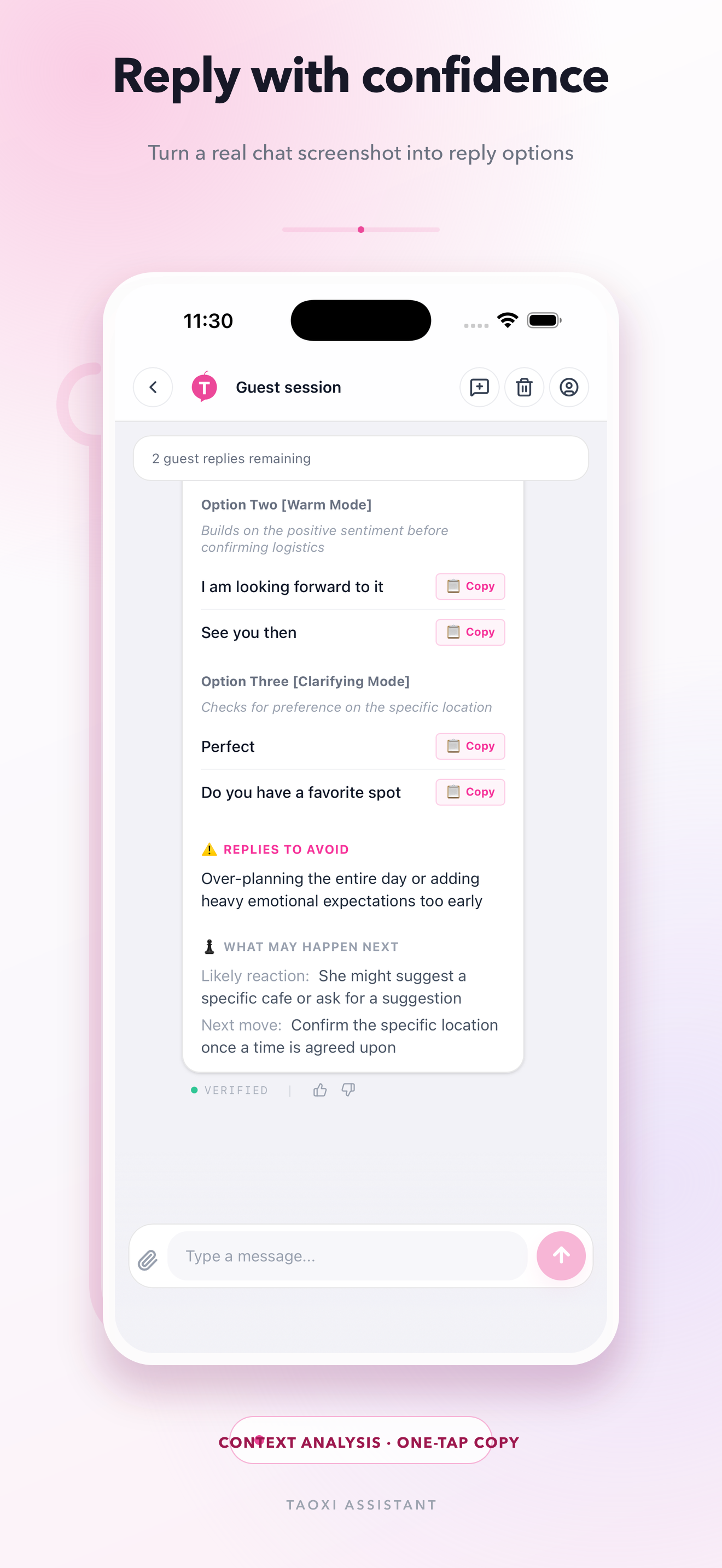
03Choose and copy a reply
Compare different reply options. Copy one, adjust the tone and send it yourself.
Questions before you start
SupportWhat is an AI reply assistant?
Taoxi Assistant helps you understand a conversation and draft possible replies from the text or screenshots you provide. You choose what to say and send it yourself.
How can I analyze a chat screenshot?
Upload a clear screenshot with relevant surrounding messages, add your question and send it. You can also paste or type the conversation as text.
Can it help when I do not know what to reply?
Yes. Explain what you want to say and the tone you prefer. Compare several suggestions, then edit the one that sounds like you.
Can I use screenshots from WhatsApp, LINE or WeChat?
You can upload readable chat screenshots. Taoxi Assistant works with the content you submit; it does not connect to those accounts or send messages through them.
Can the app and website share an account?
Yes. Membership benefits are available on iOS and the web when you sign in to the same Taoxi account. Purchase options vary by platform.
Can it tell what someone really thinks?
No. Suggestions depend on the information you provide. They cannot confirm an unspoken intention, and important details still need checking.
How can I write a thoughtful, natural reply?
Explain your goal and the tone you want, such as warm, relaxed or brief. Pick a suggestion that fits the relationship and replace any wording you would not normally use.